
...and it works even without a signal at the back of the store.
In summary: your grocery list ECOON can now be shared via a simple link. The person grocery shopping with you opens it on their phone, without creating an account, and you both check off items on your end: what one person puts in the cart appears crossed off for the other in seconds. And at the back of the grocery store, when the network is down, the list still opens.
The problem: one list, two people, three texts
In many households, the grocery list lives on one person's phone. The other goes to the Maxi with a screenshot, or a hand-copied list. Then come the texts: "Did you get the milk?", "Are there any eggs left?", "What size is the rice?". You buy the same thing twice, forget the rest, and come back the next day for a single item.
A shared list solves this: one list, updated on both phones, where everyone sees what's already in the cart.
How to share your grocery list, in 3 steps
- Open your grocery list in ECOON, the one from your weekly menu plan.
- Tap "Share". ECOON creates a private link for this list.
- Tap "Send" and choose text, Messenger, or email. Or copy the link and paste it wherever you like.
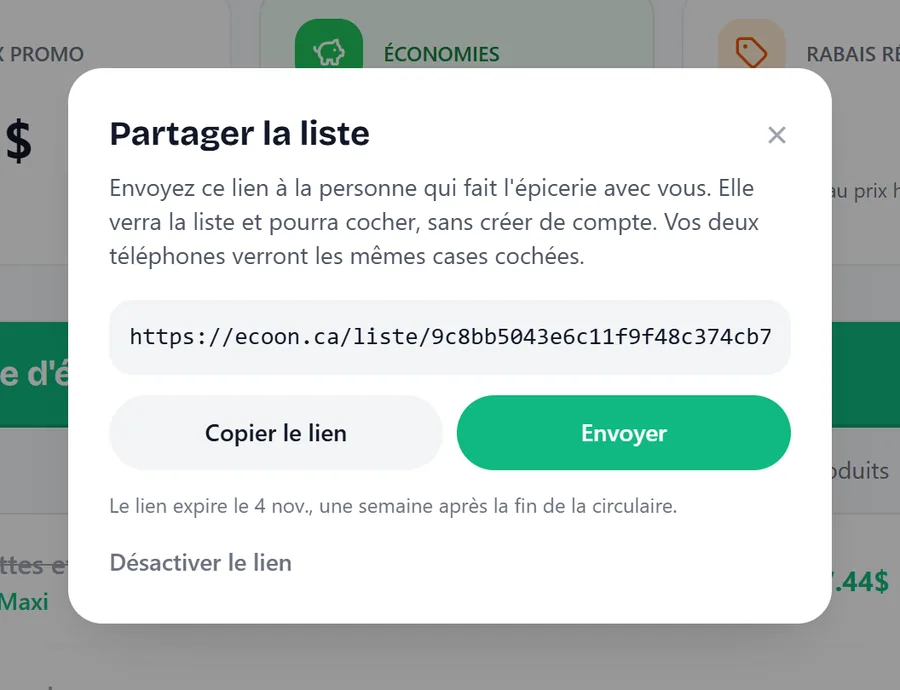
The link remains the same all week. You can disable it at any time, and it automatically expires one week after the flyer ends.

Éco's tip: one action per week is enough: compare flyers on Thursday, then cook what's on sale. The rest will follow.
What the person receiving the link sees
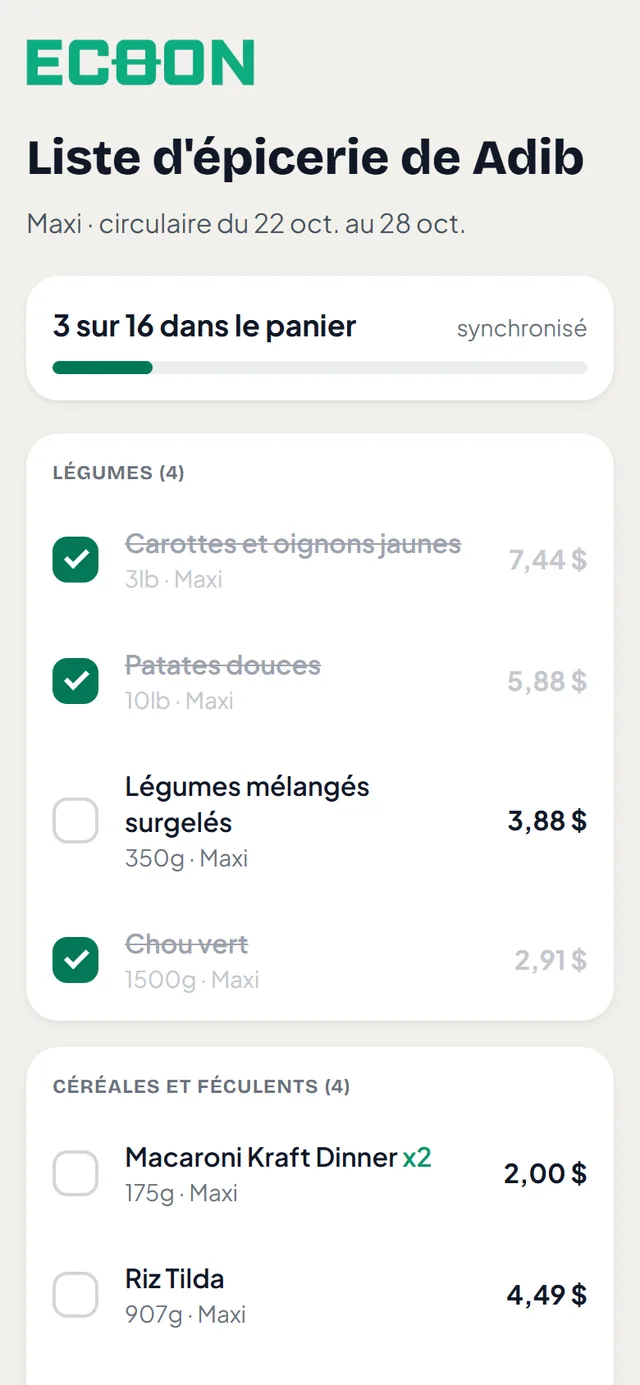
They open the link in their phone's browser. No app to install, no account to create. They see:
- the list sorted by aisle (produce, proteins, pantry...), with sizes;
- a counter, for example "3 out of 16 in the cart";
- large checkboxes, made for a hand pushing a cart;
- the flyer prices, if your account is Pro.
Each item checked by them appears on your phone in about five seconds, and vice versa. You can therefore split up in the store: one for fruits and vegetables, the other for dairy products, without buying the same thing twice.
At the back of the grocery store, with no network
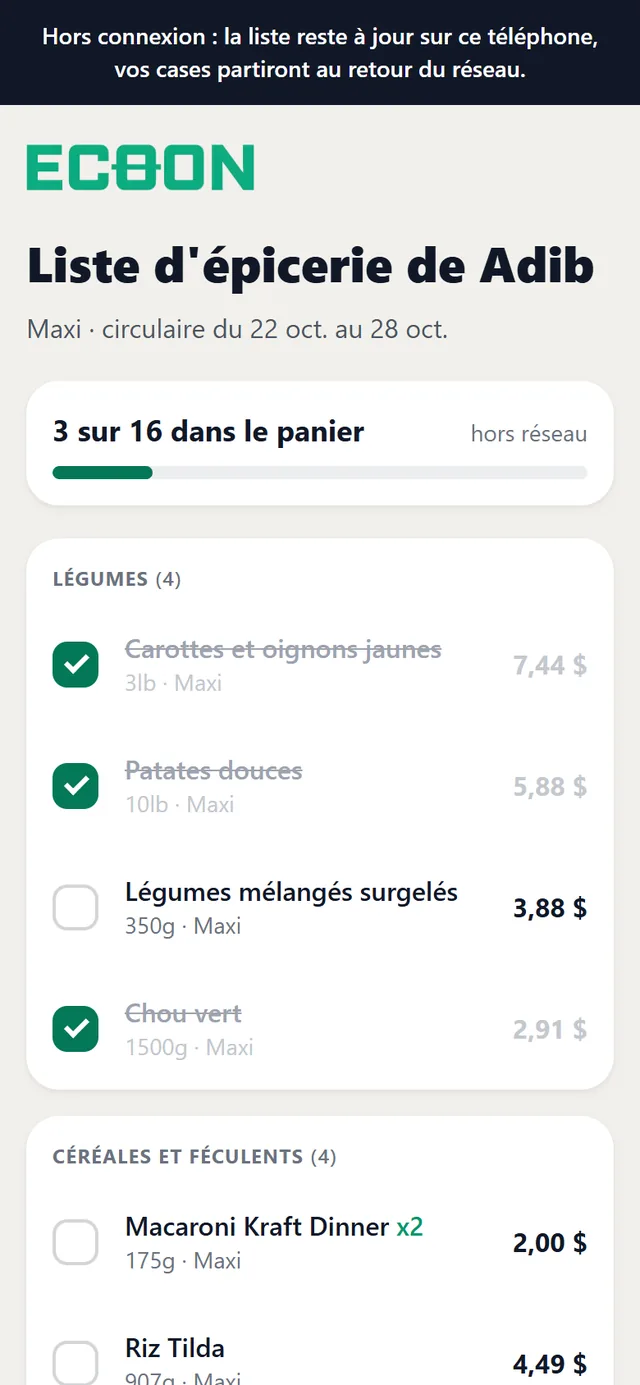
The signal is weak in the basement, near the freezers, or in the back of many grocery stores. With many apps, the page won't load at that moment.
The ECOON list is saved on your phone as soon as you open it once. Without a network, it still opens, a banner tells you you're offline, and you continue checking items. Your checked items are sent automatically as soon as the network is back, and the person you're sharing the list with sees them appear.
A list that comes from your weekly menu
This list is not an empty list to fill: it comes from your meal plan, built by Éco based on the flyer deals from Maxi, Metro, IGA or Super C, depending on your goal and household. Each product is already there, with the quantity to buy. See where Éco's meals come from, with this week's actual numbers.
Don't have an account yet? The weekly menus are free and don't require an account, with their checklist on your phone.
Frequently asked questions
Do I need an account to open a shared list?
No. Only the person sharing has an ECOON account. The person receiving the link opens it in their browser, without registration.
Is sharing free?
Yes, for all accounts, including the free Discovery plan. The price of each product is displayed in the shared list only if your account is Pro, just like in your own list.
How many people can I send the link to?
To as many people as you want. Everyone sees the same list and the same checked items.
Is the link private?
Yes. It's a long address, impossible to guess, that only the people you send it to know. The page is never indexed by Google. You can disable the link at any time, and it expires one week after the flyer ends.
What if someone checks an item by mistake?
Simply tap the box again to uncheck it. The change also appears on the other person's phone in seconds.
Your grocery store isn't tracked? , and we'll look at it first.
